본문 바로가기
Togethery
Get started Get started

Shared shopping & to-do lists
for your whole family

From the detergent that just ran out to this weekend’s chores, jot it down the moment it comes to mind, and everyone sees it in real time.

Togethery 설치 QR 코드

Scan it with your phone camera and you go straight to the install.

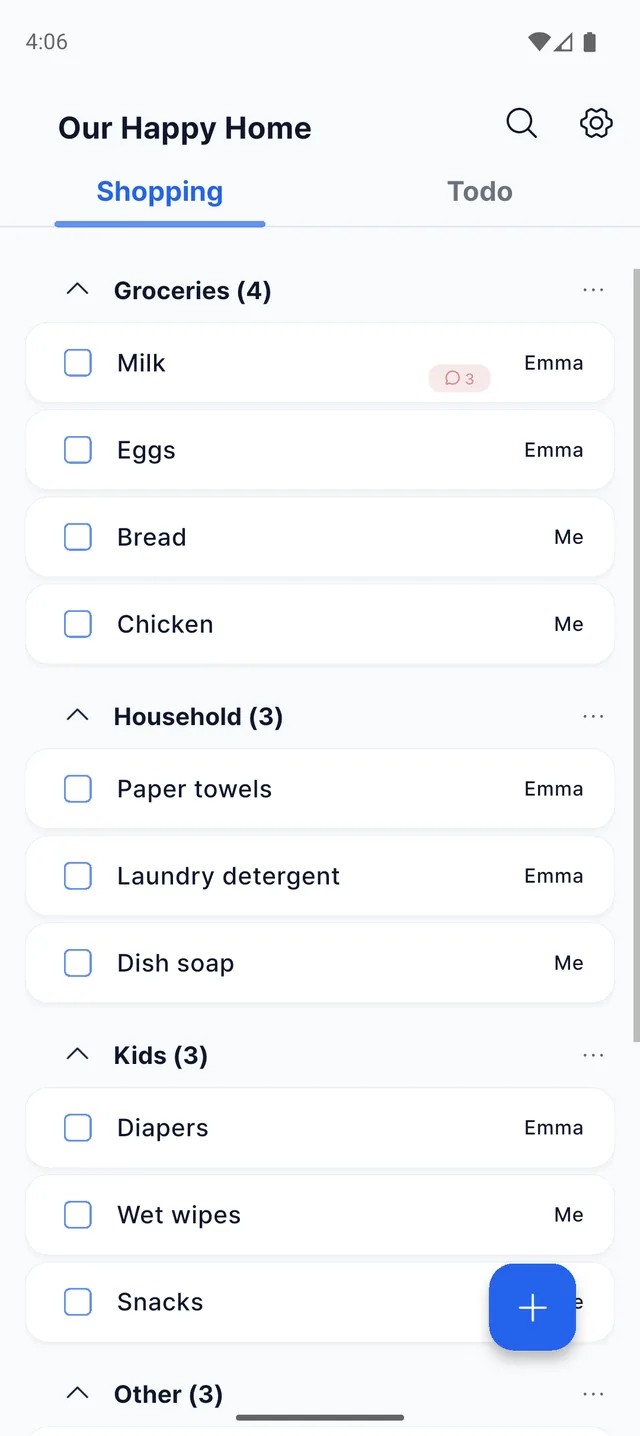
Togethery 장보기 화면. 식재료·생활용품 폴더에 담긴 항목과 담은 사람이 함께 보이는 리스트

Write together, Remember together.

What used to sit in chat threads, on fridge sticky notes,
and in someone’s head is all in one place now.

카톡 메시지·포스트잇·수첩에 흩어져 있던 메모가 하나의 Togethery 리스트로 모이는 그림

Until now

  • Notes in the chat get buried under other messages.
  • Sticky notes only help when you’re at home.
  • Asking “Did you get it?” all over again, every time.

With Togethery

  • One line the moment it comes to mind, on everyone’s screen.
  • It’s right in your hand while you shop.
  • What’s still left is right there on the list.
See it in action

Togethery 장보기 화면. 식재료·생활용품 폴더에 담긴 항목과 담은 사람이 함께 보이는 리스트

Anyone, anytime, it’s all hereNew items appear instantly, no refresh. Sort them your family’s way.

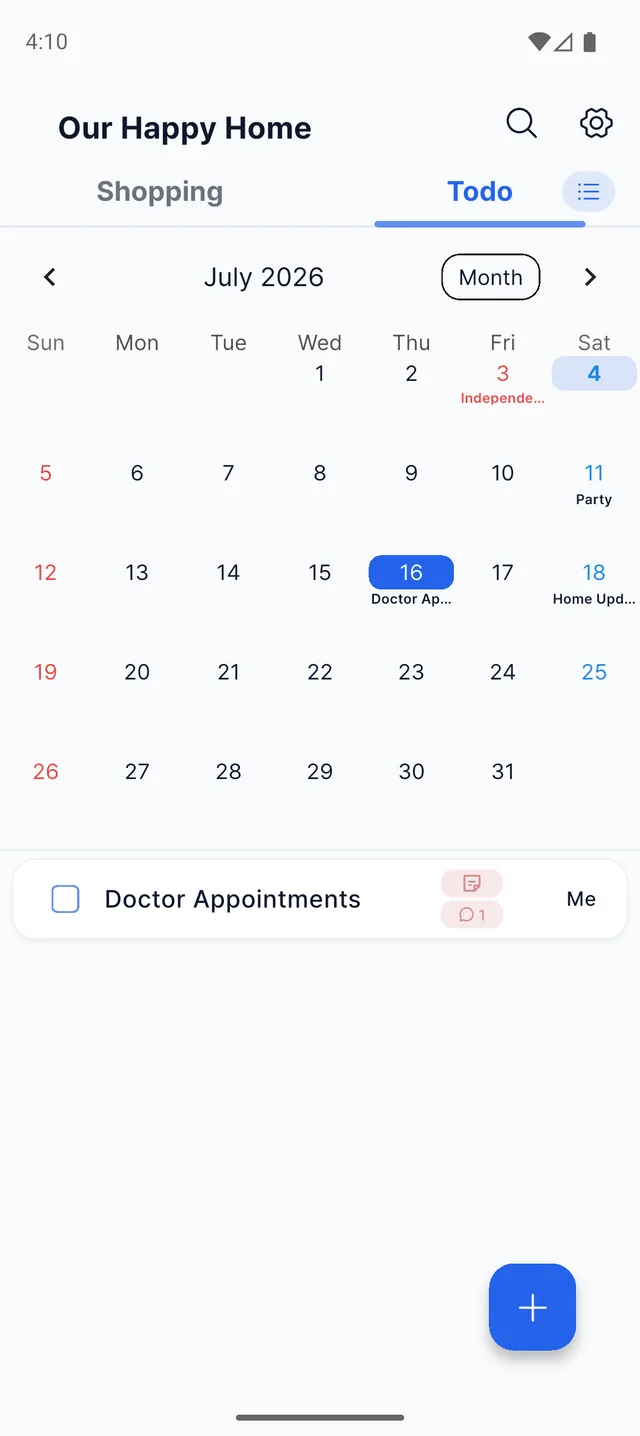
Togethery 할 일 캘린더 화면. 날짜가 달린 할 일과 공휴일이 함께 표시된 달력

Your whole month on one calendarFamily plans and household chores, with a heads-up before they’re due.

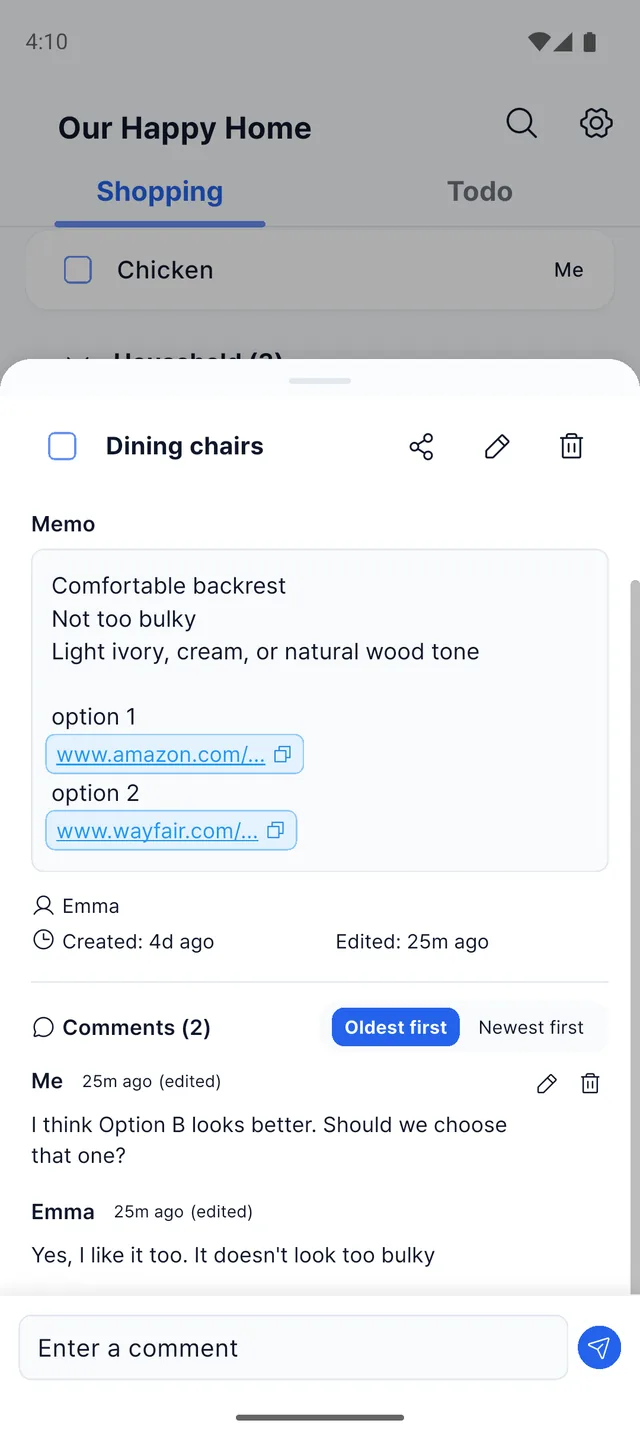
Togethery 항목 상세 화면. 메모와 후보 링크, 가족이 주고받은 댓글 두 개

There’s room to talk it throughAdd the details, and work it out together in the comments.

Togethery 검색 화면. 검색어와 일치하는 부분이 노란색으로 강조된 결과 목록

One search is all it takes“What was that again?” One search covers shopping and to-dos.

Three steps to get going

1

Create a space, invite family

Just one 6-digit code.

2

Jot things down as they come

While it’s on your mind, before you forget.

3

See it, check it off, comment

Looking after things together, wherever you are.

We built it for ourselves

Those are all things that happen in our house. That’s why we started building this, and we still use it with our family every day. When something bugs us, we fix it. If you need something, just tell us.

Lifebit contact@lifebitlab.com

Frequently asked questions

Can my family see shopping and to-dos update in real time?

Yes. The moment one person adds an item, it shows up on everyone’s screen.

How do I invite my family?

Create a space and share the 6-digit invite code with your family. That’s it.

Is it free?

Installing and the core features are free. We never ask for payment or personal details up front.

Are there paid features?

Shopping and to-dos, family invites, real-time sharing and reminders are all free. On the free plan you can create 5 folders per tab and keep 20 open items in each folder (completed items don’t count). Premium removes those limits and the ads.

Does it work on both iPhone and Android?

Yes, it works on both Android and iPhone.

What can we keep track of together?

You can keep shopping and to-dos, household chores, and anything you want to remember all in one place.

Will it remind me before a to-do is due?

Yes. A morning briefing rounds up what’s due today, and reminders go out before deadlines. At night they arrive silently, so no one is disturbed.

Can we manage family schedules on a calendar?

Yes. To-dos with dates gather on the calendar automatically, and your local public holidays show up too.

Can I use it with people other than family?

Of course. Couples, roommates, small groups: anyone you keep track of things with.

Start with your family today

Togethery 설치 QR 코드

Scan it with your phone camera and you go straight to the install.