Family Vacation Grocery List (and How to Split the Shopping)
When a family drives to a vacation rental or campsite in two cars, the grocery run usually goes wrong because the list lives in one person's head or somewhere in the group chat. Make one shared list before you leave, and have whoever puts an item in the cart check it off right there. Everyone can then see what has been bought. The checklist below is a good place to start.
What goes on a vacation grocery list?
The things people forget are usually supplies, not food. Without charcoal, foil, or paper plates, someone ends up driving back to the store. If you're staying at a rental, check the listing for what the host provides (oil, salt, coffee filters, trash bags) and cross those off.
Grill
- Burgers and buns
- Hot dogs
- Chicken or sausages
Produce
- Whole fruit
- Salad greens
- Onions and tomatoes
- Corn
Breakfast
- Eggs
- Bread or bagels
- Milk
- Coffee
- Cereal
Pantry
- Salt and pepper
- Ketchup and mustard
- Cooking oil
- Pasta or rice
Snacks and drinks
- Chips and trail mix
- S'mores (marshmallows, graham crackers, chocolate)
- Water and drinks
- Ice
Supplies
- Charcoal and lighter
- Aluminum foil
- Paper plates, cups, utensils
- Paper towels and wet wipes
- Trash bags and zip-top bags
- Tongs
For the kids
- Kid snacks
- Juice boxes
Should you shop before you go or after you arrive?
Buy the perishables close to where you're staying, and bring the rest from home. The USDA says food should never sit out of refrigeration for more than 2 hours, or 1 hour when it's above 90°F (USDA FSIS, "Danger Zone", updated 2023-06-28). A long drive with meat in the trunk eats into that time quickly.
| Bring from home | Buy after you arrive |
|---|---|
| Water, drinks, snacks, pantry items, condiments, supplies (charcoal, foil, paper goods) | Meat, dairy, salad greens, ice |
If you do bring perishables along, the USDA's camping advice is worth following (USDA FSIS, Food Safety While Hiking, Camping & Boating):
- Pack two coolers: one for drinks and snacks, one for perishable food. The drink cooler gets opened constantly, which lets warm air in and melts the ice faster.
- Keep the cooler closed, out of the sun, and covered if you can.
- Whole fresh fruit and vegetables, nuts, trail mix, and jerky don't need the cooler.
That's also a reason to split your list into "cooler" and "no cooler" folders. It tells you at a glance what has to be bought last.
How do you split the shopping without buying things twice?
Decide who buys what ahead of time, and have that person check items off as they go. "Everyone just grab something" is how you end up with two packs of hot dogs and no charcoal.
- Keep one list, in one place. A list in the group chat splits into a new version every time someone adds to it. We explain why in our post on shared family grocery lists.
- Claim items in the comments. A comment like "I'll pick up the meat at the butcher" on that item lets the rest of the family see it right on the list.
- Check it off the moment it's in the cart. A checked item disappears from everyone's screen, so the other car doesn't buy it again at a different store.
- Put the amount in the item name. "Burgers, 12 patties" needs no further explanation.
What order should you shop in?
Shelf-stable items first, meat and dairy last. Given the 2-hour rule above, the less time cold food spends in the cart, the better. Ordering your list the same way matches your path through the store. In Togethery you can long-press an item to move it.
How do you set this up in Togethery?
Togethery is the family grocery and to-do app we make.
- Create a "Beach house" (or "Camping") folder in the shopping tab.
- Add what you need from the checklist above.
- Invite everyone coming on the trip with your space's 6-digit invite code.
- Check items off as you shop.
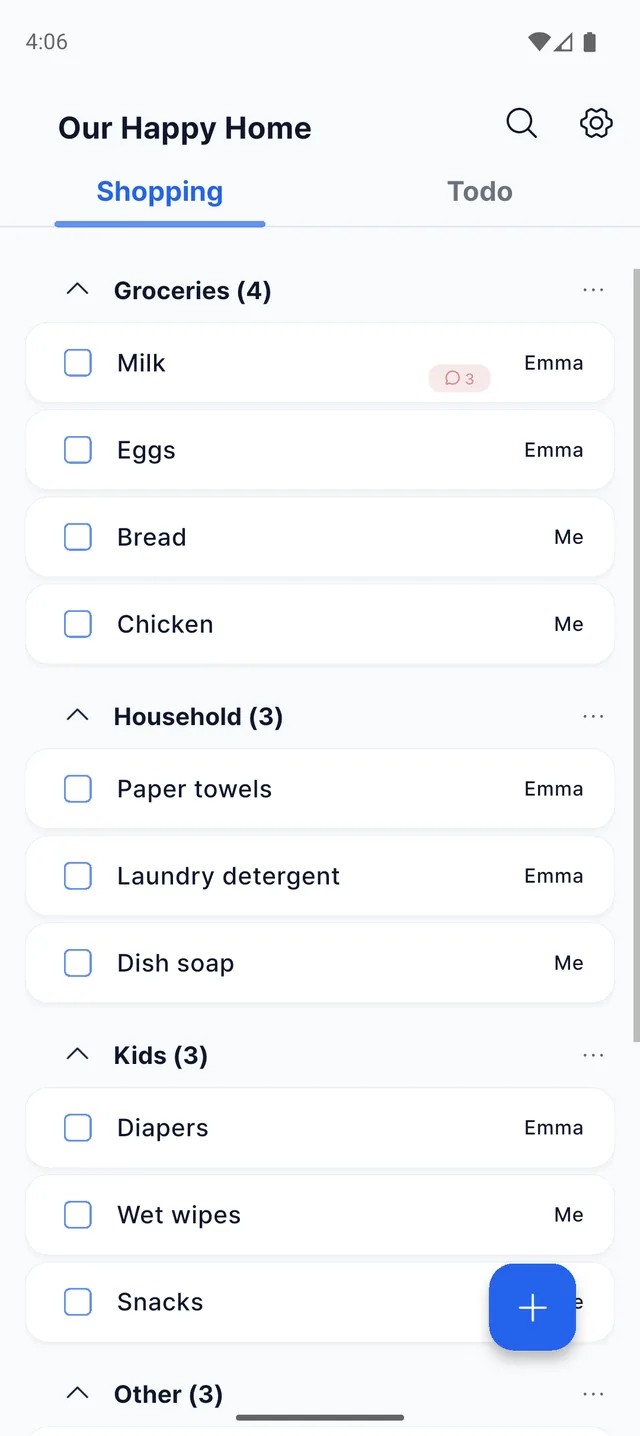
You can start Togethery for free, and it runs on both Android and iPhone.
Frequently asked questions
Can we use it for a trip with friends, not just family?
Yes. Anyone you give the invite code to sees the same list.
Can we mix iPhone and Android?
Yes. Everyone sees the same list in real time, whatever phone they use.
Is it free?
You can start for free, and there is also a paid plan.
Build this trip's grocery list together